
Dynasty Nerds
Dynasty NerdsSports
3.384.00 Reviews
- Version
- 2.7.4
- Installs
- 10.00K
- Age Rating
- Everyone
Screenshots
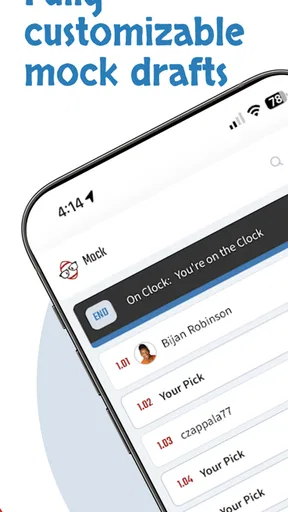
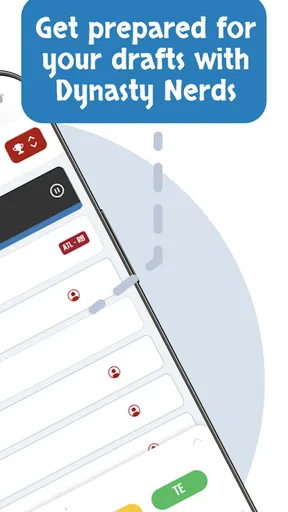
Our Review of Dynasty Nerds
 Analysis by Appyee
I downloaded Dynasty Nerds because I wanted to see whether a focused dynasty-football tool could make mock-draft preparation easier than juggling rankings, notes, and a general fantasy-sports app. My first impression was that it is built for a fairly specific audience: people who already understand dynasty leagues and want to rehearse draft decisions rather than casually browse sports news. That narrow purpose is its biggest strength, but it also determines who will find it comfortable and who may feel lost.
Developed by Dynasty Nerds, this free Sports app centers on dynasty football mock drafts. It is available for Everyone, supports devices running Android 7.0 or later, and the current version is 2.7.4. The app has passed the point of being a tiny experiment, with over 10 thousand installs, although its average rating sits at 3.3 from around 130 ratings and about 84 written reviews. I read that combination as a useful warning: there is a real audience, but the experience is not universally smooth.
My overall view is that this is a specialist practice tool, not a complete fantasy-football command center. If you want to test draft instincts in a dynasty setting, it can be worthwhile. If you need a polished league manager, a broad player-news platform, or a highly guided experience for a first-time fantasy player, another option will probably serve you better.
How readable and navigable is the draft experience?
The most important accessibility question here is not whether the app contains a large number of screens. It is whether I can understand what is happening while making a quick draft decision. Dynasty mock drafts are naturally information-heavy: a player’s name, position, roster context, draft order, and long-term value all matter at once. That makes organization more important than decoration.
In practice, I found the concept easy to grasp once I approached it with a clear goal. I was not opening the app to read a general football article; I was entering a simulated dynasty-draft workflow. That focus helps reduce distraction. A user who already knows why dynasty value differs from redraft value can move through the exercise with less mental overhead than in a general fantasy app filled with news, scores, advertisements, and league-management tools.
The trade-off is that the app’s narrow focus assumes knowledge. A new player may understand that the task is a mock draft but still wonder how to judge a selection, what roster construction should look like, or why one prospect belongs above another in a long-term format. The interface can present a decision without teaching the strategy behind it. I would therefore treat the app as a rehearsal space for an existing process, not as a complete course in dynasty football.
For readability, I recommend using it in short, deliberate sessions rather than trying to absorb everything while multitasking. Before starting, decide whether you are testing early-round priorities, positional patience, or late-round upside. That small preparation makes the screen easier to interpret because you are looking for evidence related to one question instead of trying to evaluate every possible angle.
One useful habit is to pause after each meaningful selection and say out loud what the pick changed. Did it improve immediate lineup strength, add a younger asset, or create a positional imbalance? This is more valuable than rushing through a mock simply to reach the end. The app gives the scenario; the quality of the learning comes from how carefully I review each decision.
Why experienced dynasty players will understand it faster
Someone who already uses dynasty rankings, follows player development, and thinks in terms of roster windows will likely find the app more approachable than a beginner will. The mock-draft format gets straight to the decision-making problem. I can use it before a league draft to rehearse different early picks, or after a trade to see how a changed roster might affect my priorities.
That makes it different from ordinary fantasy-football apps. A typical league app is designed around managing a live team: setting lineups, checking matchups, reading injury updates, and responding to league activity. Dynasty Nerds is better understood as a training table. It is useful when I want to isolate draft judgment without opening my actual league and changing anything by accident.
There is also a practical benefit for people who dislike noisy interfaces. A specialized mock-draft tool can be easier to approach than a full fantasy platform because the intended activity is obvious. However, specialization only helps if the user is comfortable with the terminology and pace. The app does not remove the need to think; it concentrates that thinking into the draft exercise.
Navigation for different levels of attention
For a user with strong concentration, a mock draft can be a clean and manageable task. For someone dealing with fatigue, limited attention, or a busy environment, the same sequence may be harder because dynasty decisions require comparison and memory. I would not use it while walking, commuting in a crowded space, or trying to follow a conversation. The problem is not simply reading text; it is holding several roster consequences in mind at once.
A better workflow is to complete a small number of intentional sessions. I might use one session to explore a quarterback-heavy approach, another to test wide-receiver depth, and a third to examine how long-term upside changes my choices. Separating those questions makes the experience more readable mentally and gives the results more meaning.
Motor, sensory, and situational considerations
Mock drafting involves repeated taps and quick choices, so motor comfort matters. I found that the app is most suitable when I can hold the phone steadily and interact without rushing. Users with limited dexterity may prefer a stable surface, a larger device, or a slower pace. The most important adjustment is to avoid treating every pick as a race. A deliberate pause reduces the chance of selecting the wrong option and also gives more time to interpret the roster situation.
I would also avoid assuming that a phone is the best screen for everyone. A smaller display can make dense player information more demanding, especially for people with low vision or visual fatigue. Increasing the device’s system text size may help in some parts of the experience, but it can also make a layout less compact if the app does not adapt perfectly. I would test the first mock slowly before committing to a long session.
Color-dependent information deserves attention in any sports interface. Football tools often use team colors, position colors, or visual emphasis to separate choices. I would not rely on color alone when reviewing a pick. Read the player name and position, and confirm the choice from the surrounding context. This is a sensible habit for users with color-vision differences and for anyone using the app in glare, low light, or a dim room.
People who are sensitive to motion, flashing changes, or rapid visual updates should begin cautiously and observe how the draft screen behaves during selections. I did not find the core concept inherently difficult from a sensory standpoint, but the experience still depends on screen contrast, device brightness, and the user’s environment. A quiet room with moderate brightness is more comfortable than a bright outdoor setting where reflections obscure details.
Hearing-related access is less central to the basic task because the value of a mock draft is primarily visual and decision-based. That can be helpful for users who prefer not to depend on audio. At the same time, anyone who expects spoken guidance or extensive audio feedback should set expectations accordingly: this is not the kind of football product I would choose for an audio-first experience.
Using it when time and surroundings are limited
A realistic use case is the hour before a dynasty league draft. I might have a short break, a phone, and a need to refresh my priorities without risking a live pick. In that situation, the app is useful because it gives me a focused activity. I can run through a scenario, notice where I hesitate, and then write down two or three principles to carry into the real draft.
Another use case is preparing for a league format that feels unfamiliar. Rather than relying only on a static ranking page, I can use mock decisions to discover where my plan breaks down. For example, I may believe I want to wait on a position, then realize that waiting changes the balance of my roster more than expected. That kind of practical discomfort is valuable because it exposes a strategy problem before the real event.
It is less suitable for a noisy workplace, a crowded train, or any place where I may be interrupted every few seconds. A mock draft is easy to pause in theory, but interruptions can make me forget why I was considering a player. If I only have a minute or two, reading a concise ranking or checking a saved note may be more efficient than starting a full simulation.
For users who rely on assistive technologies, the sensible approach is to install it on a compatible device and test the key path immediately: opening a mock, identifying the active selection, choosing a player, and moving to the next decision. I would not assume that a standard Android compatibility level guarantees an equally comfortable experience with every accessibility setting. The app supports Android 7.0 and later, but device age, screen size, font settings, and assistive software can still change how usable it feels.
Where the free model fits into accessibility
The app itself is free to download, which lowers the first barrier for someone who wants to try a specialized tool without committing immediately. That matters for users who are unsure whether dynasty mock drafting fits their routine. There are in-app purchases ranging from $7.99 to $79.99 per item, so I would explore the basic experience first and decide whether additional spending is justified by actual use rather than by curiosity.
This pricing structure creates a trade-off. A free starting point makes experimentation easier, but users should be careful not to assume that every useful part of the experience is included at no cost. Before paying, I would identify the exact workflow I need, consider how often I will use it, and compare that value with a free browser-based ranking page or a broader fantasy platform. Someone who only mocks once a year may not receive enough benefit from a higher-priced purchase.
Remaining barriers for new and returning users
The biggest barrier is not the draft format itself; it is the gap between simulation and explanation. I can make a pick, but a mock tool is most educational when I understand why the decision matters. Beginners may need a separate dynasty guide, rankings source, or league-specific scoring reference beside the app. That is not a criticism of the concept, but it does limit how independently a newcomer can learn.
Another barrier is transferability. A mock scenario can sharpen instincts, yet a real league may use different roster sizes, scoring rules, starting requirements, or trade habits. I would not treat one simulated outcome as a universal answer. Use it to test principles, then adjust those principles to the actual league settings. The app is strongest as a thinking aid, not as an automatic draft plan.
The modest average rating also suggests that prospective users should keep expectations measured. I would not download it expecting the polish of a major fantasy platform or the depth of a full research database. Its appeal comes from doing one job directly. If that job matches your needs, the limitations may be acceptable; if it does not, a higher-rated general alternative may feel more dependable even if it is less focused.
Users who need highly explicit onboarding, large amounts of explanatory text, or a fully customizable accessibility experience may find friction quickly. Likewise, casual football fans who only want weekly scores, news, or a simple redraft assistant are probably looking in the wrong category. The app’s dynasty emphasis is meaningful, and it should not be judged as though it were a live league-management product.
My most practical advice is to create a repeatable review routine. After a mock, record the first decision that felt uncertain, the position you reached for too early, and the point where your roster plan changed. Then run another scenario with only one variable changed. This turns the app from a disposable draft toy into a personal diagnostic tool. It also reduces the temptation to judge success solely by whether the final roster looks attractive.
For readers wondering whether the app is still worth trying, I would say yes if you are specifically preparing for a dynasty football draft and want an interactive way to challenge your assumptions. The free entry point makes that test relatively straightforward. I would skip it if you want a broad fantasy dashboard, live league administration, or a beginner-friendly lesson that explains every dynasty concept from the ground up.
My inclusive verdict is cautiously positive: Dynasty Nerds can support different situations when the user controls the pace, chooses a comfortable screen, and treats each mock as a focused exercise rather than a race. Its specialized design may reduce distraction for experienced players, while its limited instructional context can create a barrier for newcomers or anyone who needs extensive guidance.
I would recommend trying one short session before considering any in-app purchase. Check whether the text is comfortable, whether the selection flow is manageable with your device and settings, and whether the decisions feel relevant to your league. If those basics work, the app has a clear place in a dynasty player’s preparation routine. If they do not, a more flexible fantasy platform or a simpler text-based resource will likely be the kinder choice.
After spending time with it, I see Dynasty Nerds as a focused companion for draft preparation rather than an all-purpose football app. It earns consideration because it concentrates on a real dynasty-league need, but it asks the user to bring knowledge, patience, and a willingness to review mistakes. For the right player, that focus is exactly the point; for everyone else, it may feel more specialized than useful.
Verdict
Strengths of Dynasty Nerds
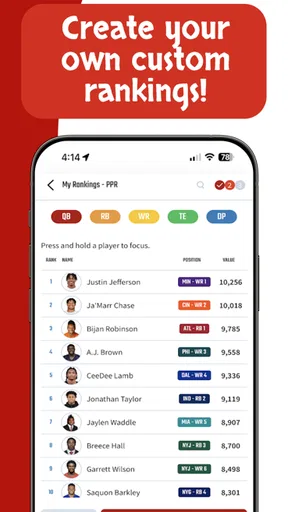
- Detailed dynasty rankings help with long-term team planning.
- Player values are tailored to dynasty fantasy formats.
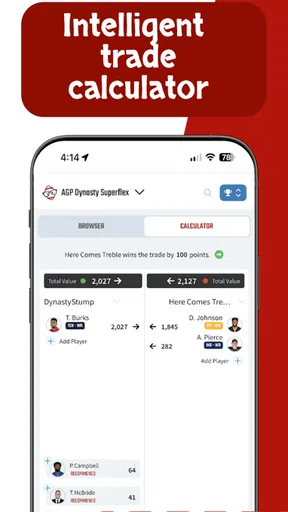
- Useful trade insights support difficult roster decisions.
- Regular updates can reflect changing player situations.
- Clean layout makes research quick on mobile devices.
Limitations of Dynasty Nerds
- Some features may require a paid subscription.
- Advice may not suit redraft or casual fantasy leagues.
- Player projections can become outdated between updates.
- Limited coverage may affect users in niche league formats.
- The app may feel overwhelming for beginners new to dynasty leagues.
Similar Picks in This Category
View All
BeSoccer: Soccer Live Score
BeSoccer apps4.3

Cricbuzz - Live Cricket Scores
Cricbuzz.com3.7

NFL
NFL Enterprises LLC2.4

Da Fit
MO YOUNG LIMITED3.6

ESPN
Disney4.5

LiveScore: Live Sports Scores
LiveScore Limited4.5
Frequently Asked Questions
What is Dynasty Nerds, and who is it designed for?
Dynasty Nerds is a fantasy sports resource focused primarily on dynasty fantasy football. It is designed for managers who want long-term team-building advice, player evaluations, rankings, news, and strategy ideas rather than only weekly matchup information. The app or platform is especially useful for users managing keeper leagues, rookie drafts, trades, and multi-season rosters.
What kind of fantasy football information can I find on Dynasty Nerds?
The platform typically provides dynasty rankings, player profiles, rookie evaluations, trade analysis, waiver-wire suggestions, rankings updates, and articles discussing long-term roster value. Depending on the current version and available features, users may also find podcasts, videos, draft tools, league advice, and content covering formats such as superflex, tight-end premium, and various scoring systems.
Is Dynasty Nerds useful for beginners, or is it only for experienced dynasty managers?
Although the name may suggest advanced fantasy knowledge, Dynasty Nerds can also be helpful for beginners who are learning how dynasty leagues work. New users can use its rankings, explanations, and strategy articles to understand trades, draft capital, player age curves, and roster construction. However, some analysis assumes basic fantasy football knowledge, so complete newcomers may need additional guidance.
Can Dynasty Nerds help me make trades and manage my fantasy roster?
Dynasty Nerds can support trade and roster decisions by offering player rankings, long-term outlooks, prospect evaluations, and analysis of value changes. It should be treated as a research tool rather than an automatic decision-maker. League settings, scoring rules, roster depth, competing timelines, and personal risk tolerance can significantly change a player’s value, so users should compare the advice with their own league context.
Is Dynasty Nerds free to download and use?
Access and pricing may depend on the specific Dynasty Nerds product, platform, and features available at the time of download. Some content may be free, while premium analysis, tools, memberships, or exclusive media could require payment or an account. Before installing or subscribing, check the official store listing and in-app purchase details to understand what is included and whether recurring charges apply.
